Command
- 4.5
- Rating
- 500.00K
- Installs
- Free
- Price

 Analysis by App-foxy
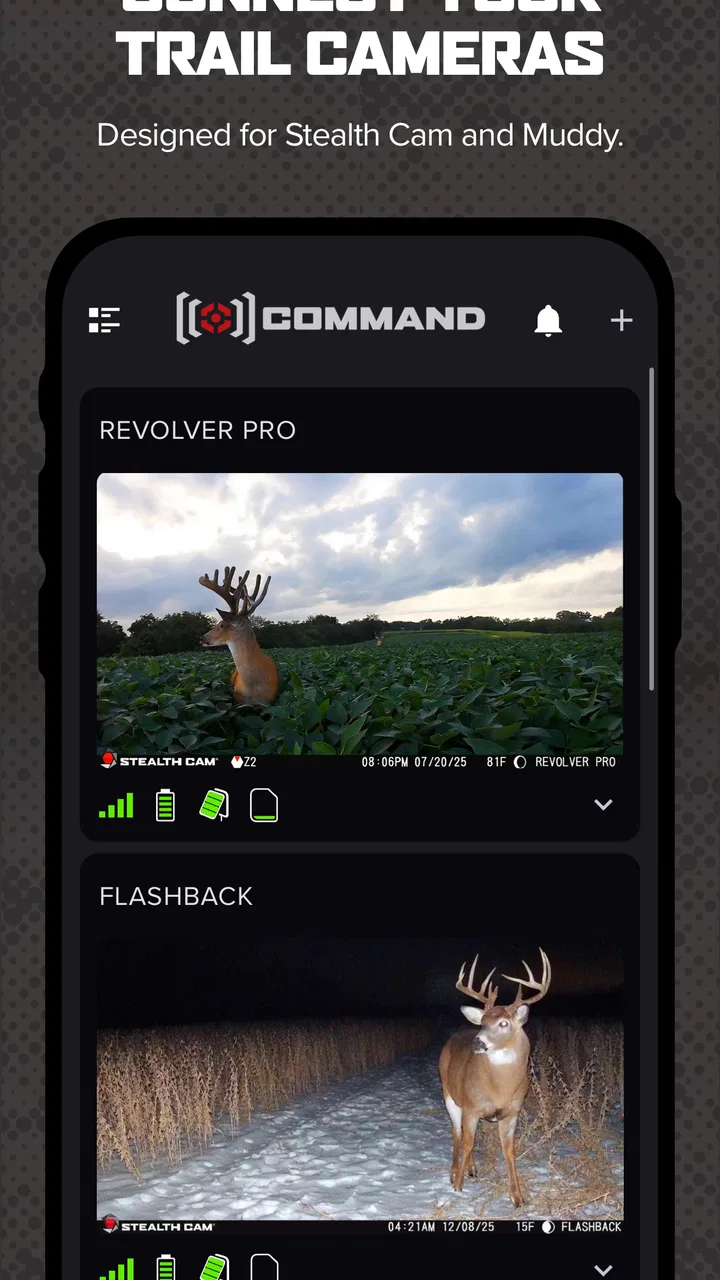
I spend enough time outdoors to know that a cellular trail camera is only as useful as the workflow around it. The camera may capture the image, but the real convenience comes from checking activity, managing several units, and making decisions without driving out to every location. Command, a sports app from GSM Outdoors, is built for that specific job: it lets owners manage Stealth Cam and Muddy cellular trail cameras from a phone.
That focus makes it very different from a general wildlife-watching app. I would not install it expecting maps, a broad hunting community, or a replacement for the camera itself. I see it as a control panel for compatible hardware. When it works well, it turns remote camera checks into a quick phone routine. When the camera, cellular connection, or setup is troublesome, the app cannot magically solve the underlying problem.
What Command actually does for a camera owner
The most important thing to understand is the relationship between the app and the hardware. Command is not a standalone camera, and it is not especially useful if you do not own a compatible Stealth Cam or Muddy cellular trail camera. Its purpose is to give those cameras a mobile management layer, so the value depends heavily on your equipment, signal, and expectations.
You May Also Like

 Blood Strike: 2.5 Anniversary
Blood Strike’s Loadouts Turn Every Drop Into a Tactical Gamble
A close look at Blood Strike’s custom loadouts: how fast access to signature weapons reshapes its battle royale rhythm, rewards preparation, and narrows the gap between fights.

 Pandora - Music & Podcasts
Pandora’s Music Is Easy to Start, but Harder to Recover
Pandora’s strength is its low-effort path from a seed to a station. Its weak spot is how much confidence it asks you to place in connection, setup, and quiet recovery.

 8 Ball Pool
 Is Built on Rivalries, Rematches, and Routine
A close look at the rivalries, rematches, shared routines, and unanswered safety questions that turn a quick pool match into a persistent mobile community.

 Samsung Music
’s Quiet Strength Is Playing What You Already Own
Its reach comes less from spectacle than from dependable access to a personal library. That simplicity is both the app’s strongest retention engine and its ceiling.

 AccuWeather: Weather Radar
AccuWeather Review: A Quick, Clear Forecast for Everyday Decisions
For everyday plans, the best forecast is the one you can understand quickly. AccuWeather makes rain timing, radar, and local conditions easy to act on, with a few trade-offs.

 Hill Climb Racing
Why Hill Climb Racing Still Turns Crashes Into One More Run
A tiny car, a bumpy hill and one more upgrade: Hill Climb Racing keeps resurfacing because its simple chaos makes every near-miss feel personal.
More From Our News Desk



I think of it as the place where remote camera ownership becomes manageable. Instead of treating each camera as an isolated device that must be visited physically, I can use the phone as the first point of contact. That is especially helpful when cameras are positioned on land that is far from home, difficult to reach, or spread across more than one area.
The app sits in the sports category, although its practical audience is narrower than that label suggests. Hunters, land managers, wildlife observers, and people monitoring property are the obvious users. Someone who simply enjoys photographing birds in a garden may find a regular camera app more suitable, while someone with several cellular trail cameras can appreciate why a dedicated manager exists.
GSM Outdoors is the developer behind the app. It has been available since May 20, 2020, and the current version is 6.5.11. The minimum operating system is Android 9, which gives it a reasonably broad reach among modern Android phones without making it suitable for every older device.
On the store, the app is rated for Everyone. That describes the software, not every situation in which the hardware may be used. The app itself is a tool for viewing and managing cameras, so the more relevant question for adults is whether their camera system and field routine match what Command is designed to support.
Free access changes the value calculation
Command is free to install. That is an important distinction: I can download the app without paying an app purchase price, but free access to the software should not be confused with owning a camera or having every possible service connected to that camera. The app is the management layer, while the overall cost of a cellular trail-camera setup comes from the equipment and whatever connectivity arrangement the hardware requires.
For that reason, I would judge the app as a no-cost companion rather than a complete free wildlife-monitoring solution. If I already own compatible hardware, the lack of an app charge makes it easier to try and removes one barrier from managing the system. If I do not own the hardware, installing the app alone does not give me a working remote camera network.
The listing shows a 4.4 average from around 27 thousand ratings, with about 4.7 thousand written reviews. It has passed 500 thousand installs. Those figures suggest that Command has a substantial user base, but they do not guarantee that every camera model, location, or phone behaves identically. I would still treat compatibility and field connectivity as the practical tests that matter most.
The everyday workflow I found most useful
A realistic use case is a property owner who places a cellular camera near a feeder, trail, gate, or other area that is inconvenient to visit daily. Rather than making a long trip simply to see whether anything happened, the owner can begin with the phone, review the camera activity available through the system, and decide whether a physical visit is justified.
That can save more than time. Repeated visits may disturb the area being observed, leave a noticeable human presence, or create unnecessary travel in poor weather. The app is most valuable when it helps me separate “I should check the camera” from “I should go all the way to the camera.” That is a small change in routine, but it is the reason a cellular system can be more practical than a camera that requires manual retrieval.
For multiple cameras, the advantage becomes easier to see. A phone-based management tool gives me one place to think about the collection rather than remembering which camera was checked, which one needs attention, and which location is worth visiting. I would still keep my own simple notes for batteries, memory, placement, and maintenance, because an app should not be treated as a replacement for field organization.
One useful habit is to check Command before leaving for a property. I can use the information available from the camera system to plan a more targeted visit instead of wandering between units. That makes the app valuable even when I still need to go outdoors regularly; it improves the decision about when and why to go.
Where the app delivers real value
The strongest benefit is convenience at a distance. A conventional trail camera usually asks me to visit the unit, remove or access its storage, and inspect the captured material locally. A cellular camera paired with Command changes that rhythm by making the camera part of a remote routine. The app therefore earns its place when distance, access, or the number of cameras makes manual checking tedious.
It is also useful for reducing guesswork. If I am managing a hunting area, observing animal movement, or watching a remote section of land, information from the camera can help me decide whether a trip is worthwhile. That does not make the app a substitute for judgment. It gives me a better starting point before I spend fuel, time, and effort.
Another strength is concentration. A dedicated app is easier to understand than trying to combine a generic photo viewer, separate hardware controls, and scattered notes. Command is built around Stealth Cam and Muddy cellular trail cameras, so its purpose is clearer than that of a broad photo-management tool. Users who prefer a focused workflow may find that reassuring.
I also like the fact that the app is free to try. There is no need to make a separate software purchase decision before finding out whether the management experience fits my routine. That makes it sensible for an existing compatible-camera owner to install it, test the basic workflow, and decide whether it is comfortable enough for regular use.
However, the value is conditional rather than universal. If I only check a camera once every few months and it is close enough to visit easily, the convenience may not justify changing my routine. A non-cellular camera with manual retrieval could be perfectly adequate in that situation. Command becomes more compelling as the distance, frequency of checks, or number of cameras increases.
Trade-offs that matter in real outdoor use
The first trade-off is dependency. The app depends on a compatible Stealth Cam or Muddy cellular trail camera, and the camera depends on conditions outside the app itself. Poor placement, weak cellular coverage, depleted batteries, weather exposure, or a hardware problem can all reduce the usefulness of remote management. When something appears missing, I would troubleshoot the camera and its environment instead of assuming the phone app is solely responsible.
That dependency also affects expectations about immediacy. A remote camera system is not the same as looking through a live window. I would use Command as a way to manage and review a camera system, not as a promise that every event will appear instantly under every field condition. Anyone who needs continuous live observation should consider whether a trail-camera workflow is the right category at all.
A second trade-off is that remote convenience can encourage less physical maintenance. It is easy to assume a camera is fine because the phone remains quiet. I would still schedule visits to inspect mounting, aim, battery condition, weather sealing, vegetation, and the surrounding area. The app can reduce unnecessary trips, but it cannot tighten a strap, clear a lens, remove branches, or confirm that the camera is still positioned correctly.
A third issue is that app usefulness is tied to how organized the owner is. With one camera, the workflow may feel simple. With several, the benefit can be substantial, but only if I use consistent names and keep track of locations outside the app as well. A remote-management screen can show activity, yet it cannot replace a sensible record of when each unit was installed, serviced, or moved.
I would also avoid choosing Command solely because its rating looks healthy. The 4.4 average and large review volume are encouraging signs of adoption, but ratings combine many camera models, phones, networks, and user expectations. A person with a strong signal and a compatible setup may have a very different experience from someone placing a camera in a difficult location.
Small habits that improve the experience
Before relying on the system for an important season or property decision, I would test the complete chain near the intended location. That means confirming that the camera is positioned correctly, that the phone can manage it as expected, and that the remote workflow is understandable before the unit is left unattended. Testing early is more useful than discovering a problem after a long drive.
I would also separate “camera activity” from “camera health” in my thinking. A quiet period may mean there is no relevant movement, but it may also prompt me to consider placement, power, signal, or settings. The app can help me manage the camera, yet interpretation still requires outdoor knowledge and occasional inspection.
For a group of cameras, I would create a repeatable inspection routine: check the app before a planned visit, identify which locations deserve attention, and then use the physical trip to handle maintenance rather than merely collect images. This is where Command can deliver more value than a simple gallery. It can influence the order and purpose of the work, not just display results.
Finally, I would keep expectations realistic about the free price. The absence of an app charge makes the software accessible, but it does not remove the practical costs of cellular hardware, travel, batteries, and upkeep. In my view, the app is good value when it prevents wasted trips or makes an existing camera investment easier to manage. It is not automatically good value for someone starting from zero.
Who should use it and who should skip it
I would recommend Command first to owners of compatible Stealth Cam or Muddy cellular trail cameras who want to manage them from Android. It is particularly well suited to people with remote land, several camera locations, limited time for repeated visits, or a strong reason to check activity before traveling.
It can also suit wildlife observers and property managers who care more about practical remote awareness than about building a social photography experience. The app’s focused purpose is a benefit for those users. They do not need a huge collection of unrelated tools; they need a direct way to work with their camera system.
I would be more cautious if I were buying a camera system mainly for occasional local use. If the camera is a short walk away and manual checking is easy, the cellular workflow may add complexity without changing much. In that case, a simpler trail camera or a standard camera app may be the better choice.
I would also skip it if I wanted a general-purpose wildlife platform, a community feed, or a live-streaming service. Command is not presented as a broad social network or an all-purpose photography editor. Its strength is narrower: managing supported cellular trail cameras. Choosing it for a different purpose would create disappointment before the first field test.
Android users should note that the minimum operating system is Android 9. That is not a concern for many current phones, but anyone using an older device should check compatibility before planning a camera deployment around the app. The Everyone content rating makes it broadly accessible from an age-classification perspective, although the outdoor use case is clearly aimed at people managing cameras and property.
My final recommendation
After looking at what Command is meant to do, I see it as a practical companion rather than an exciting standalone app. Its value comes from removing friction around compatible cellular trail cameras: checking remotely, organizing a camera routine, and deciding when a physical visit is worth the effort. Because it is free to install, it is easy for existing owners to try without adding an app purchase to the setup.
The important qualification is that free software does not equal a free camera system. The real investment remains the hardware, connectivity arrangement, batteries, travel, and maintenance. Command can make that investment more convenient, but it cannot overcome an unsuitable location or neglected equipment.
My buy-or-skip verdict is straightforward. If I owned supported Stealth Cam or Muddy cellular cameras, especially on distant or spread-out land, I would install Command and make it part of my pre-trip routine. If I did not own compatible hardware, I would not download it just to browse; I would first decide whether a cellular trail-camera setup fits my needs. And if my camera were always nearby and checked only occasionally, I would compare the extra complexity with a simpler alternative.
For the right owner, Command provides useful control at no app charge and can turn remote camera checks into a more deliberate, less wasteful process. It is not the right answer for every outdoor photographer, but for its specific audience, I think the focused approach makes sense.
FAQs for Command
01What is the primary function of Command?
Command is an organizational app designed to enhance productivity by allowing users to manage tasks, set reminders, and organize schedules seamlessly. It offers a user-friendly interface with robust features like calendar integration, task prioritization, and collaboration tools, making it ideal for both personal and professional use.
02Is Command available for both Android and iOS devices?
Yes, Command is available for download on both Android and iOS platforms. Users can find the app on the Google Play Store and the Apple App Store, ensuring compatibility with a wide range of smartphones and tablets. Regular updates ensure that the app remains functional across all devices.
03Does Command offer any collaboration features?
Command includes various collaboration features that allow users to share tasks and projects with team members. It supports real-time updates and notifications, making it easier to work on joint projects. Users can assign tasks, set deadlines, and communicate within the app to streamline team efforts.
04Are there any in-app purchases or subscription fees associated with Command?
While Command offers a free version with essential features, there are in-app purchases and subscription options available for users who need advanced functionalities. Premium features may include expanded storage, additional customization, and enhanced collaboration tools. Pricing details are available within the app and on the app store listings.
05How secure is my data within the Command app?
Command prioritizes user privacy and data security by implementing encryption and secure data storage methods. Users' information is protected with industry-standard security protocols. Additionally, the app offers options for two-factor authentication to enhance account security, ensuring that all personal and professional data remains safe.
Pros
- Intuitive user interface for easy navigation.
- Wide range of customization options.
- Seamless integration with other apps.
- Offline mode available for uninterrupted use.
- Regular updates with new features.
Cons
- Occasional lag on older devices.
- Some features require in-app purchases.
- Limited language support.
- Notifications can be overwhelming.
- Initial setup can be time-consuming.

Command
Gallery